Petroleum Experts (Reservoir, Production, Process, Surface Facility Eng, …. ) must Know
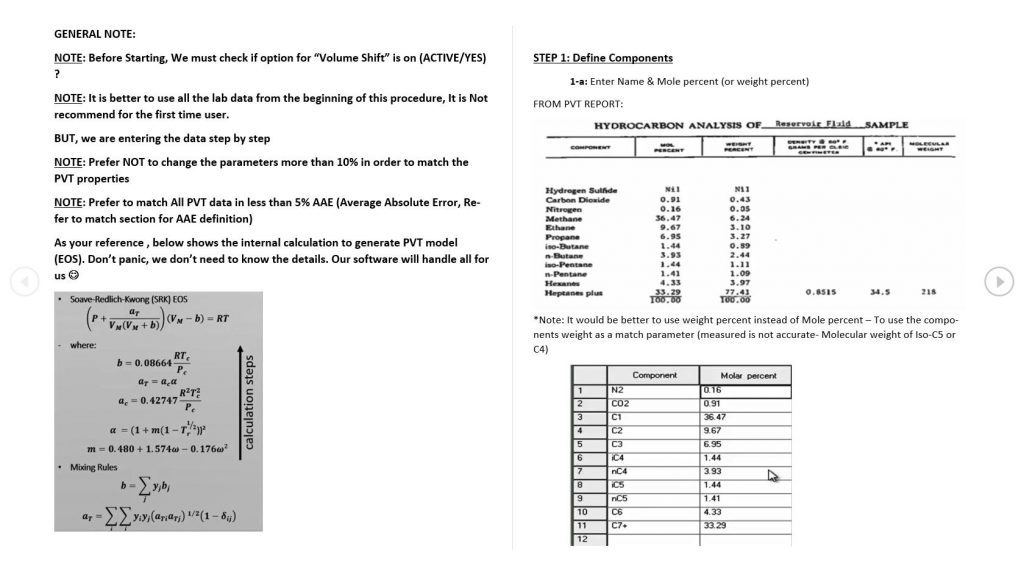
Still after many years, the most common , important and challenging task in fluid properties subject is providing a representative PVT model (called the equation of state / EOS)
No matter which software (‘PVTP’ from Petroleum Experts, PVTi from Schlumberger, PVTPROP from CMG, ….) are using, we must follow the correct procedure to match a PVT model with the available experimental data.
Lets make it easy by break into the following steps
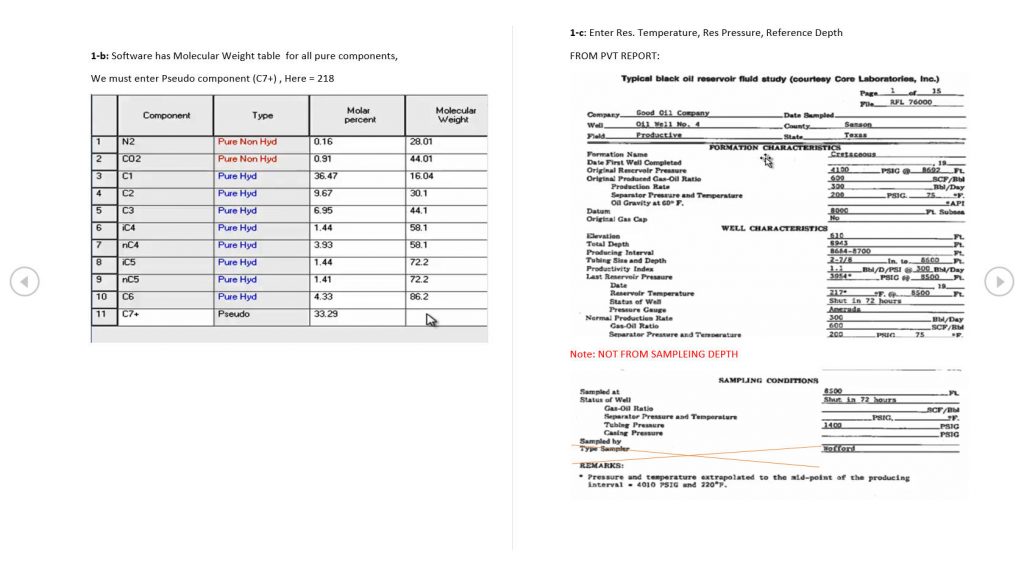
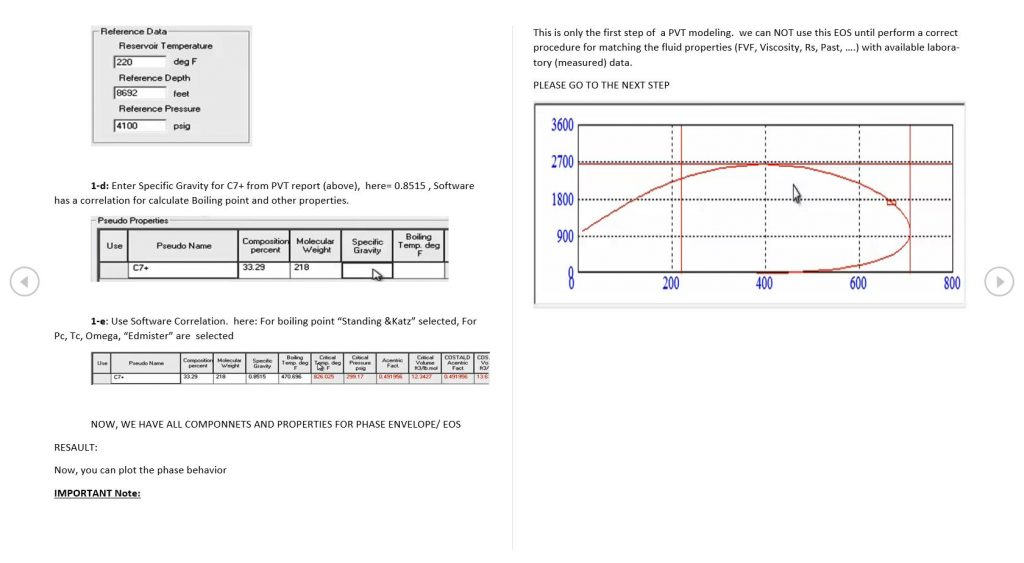
- Define Components
- Oil Density Correction
- Match the Saturation Pressure
- Match the Oil density @ Saturation Pressure
- Match the CCE
- Match the DLE
- Match Separator Test
- Export a proper format for our simulation model
In this Article, You will find the fist step (STEP I)
If you are not familiar with PVT concepts, strongly recommended to study “www.CIPGroup.ca/Reservoir Eng. Concepts/Fluid Properties
Open your software and follow the below steps. Before starting, it should be a good idea to review the menu/manual of your available software. All professional PVT software for oil and gas industries (e.g. “PVTi” from Schlumberger , “PVTP” from Petroleum Expert or “WINPROP” from CMG have the ability to apply the following procedure. DON’T Panic Just do it. 🙂